🧘♀️ Adding Support for Fallback Fonts in Rive
Overview
In Rive, fallback fonts are additional fonts that Rive can use when the primary font doesn’t contain a required glyph (character). If Rive tries to render text and the main font is missing a character, such as emojis, CJK characters, Arabic glyphs, or symbols, it automatically looks to the fallback fonts to find a match.
Think of it as a font safety net: your text keeps rendering correctly even when the main font isn't enough.
Fallback fonts ensure your Rive animations behave reliably across:
- Multiple languages
- Dynamic text
- Real-world user input
Without fallback fonts, characters may disappear or even animations may look broken or incomplete.
In this chapter, we'll look at how to enable and use fallback fonts in Rive animations.
Configuring Fallback Fonts
For the sake of the simplicity of the tutorial, we'll configure fallback fonts to be used for all styles, meaning they'll be used by all text styles whenever the primary font doesn’t support a given character.
Fallback font support was introduced in Rive v6.1, so be sure you're using a recent version to take advantage of this feature.
We can define a static list of fallback fonts. Let's walk through how to create and configure it.
enum RiveFontSetup {
    static func configureFallbackFonts() {
        // Static fallback list
        RiveFont.fallbackFonts = [
            // Default system font
            RiveFallbackFontDescriptor(),
            // Bold system font
            RiveFallbackFontDescriptor(weight: .bold),
            // Explicit custom font
            UIFont(name: "Menlo", size: 20)!
        ]
    }
}
Updating the Root View
The next step is to execute the code we just created at the app's entry point, ensuring it runs as soon as the application starts.
import RiveRuntime
import SwiftUI

@main
struct AnimatedCoffeeBreakApp: App {

    init() {
        RiveFontSetup.configureFallbackFonts()
    }

    var body: some Scene {
        WindowGroup {
            AppView()
        }
    }
}
Updating the View Model
The easiest way to verify that fallback fonts are functioning correctly is to deliberately force Rive to use them.
The primary font used in the Rive animation does not include support for certain Unicode characters, specifically those from the Miscellaneous Symbols and Dingbats blocks, so we'll inject exactly those kinds of characters into the text.
Here's one such example.
import RiveRuntime

nonisolated class DataBindingViewModel: RiveViewModel {
    [...]

    init(filename: String, font: String, withExtension: String) {
        [...]

        titleProperty?.value = String(localized: "title")
        descriptionProperty?.value = "Hello ☂ ☎ world" /// to test fallback fonts
    }
}
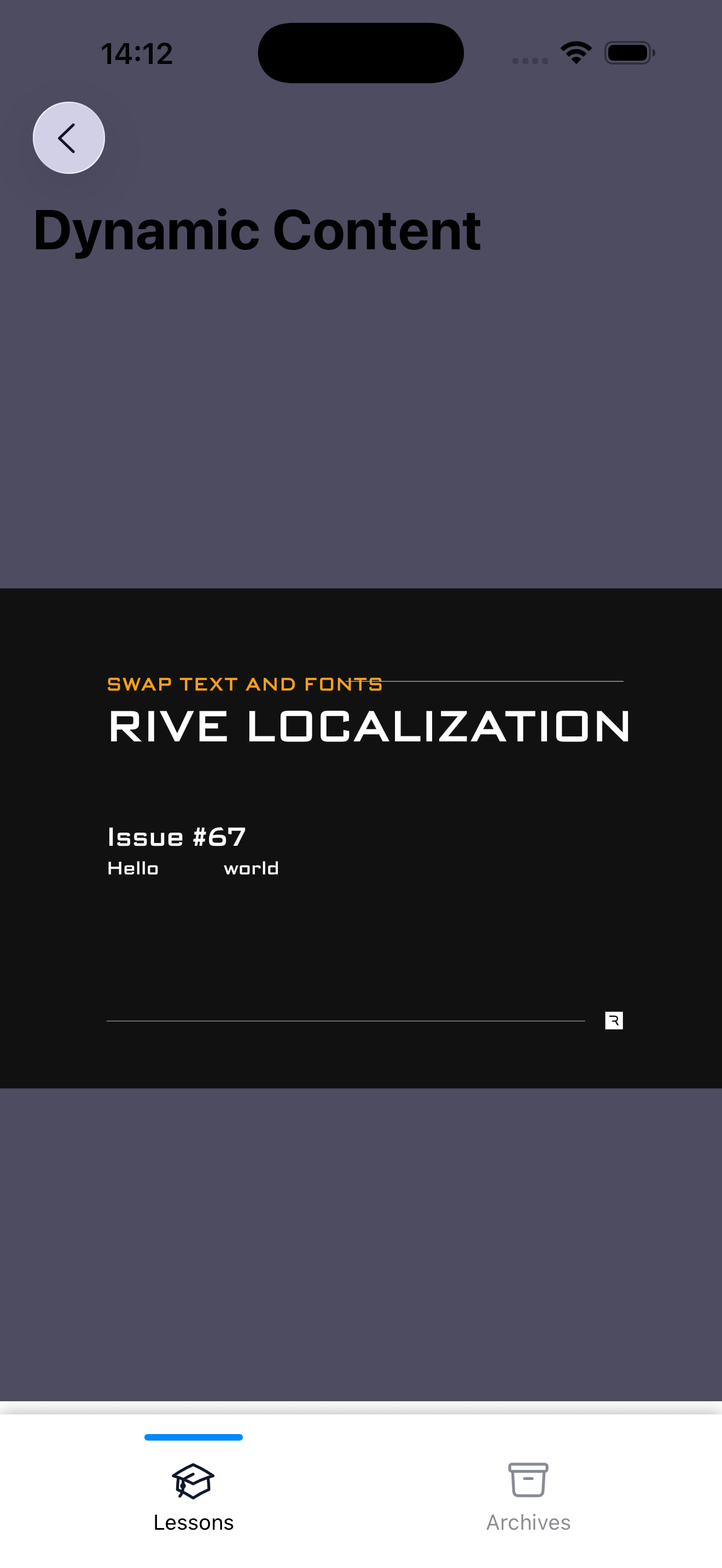
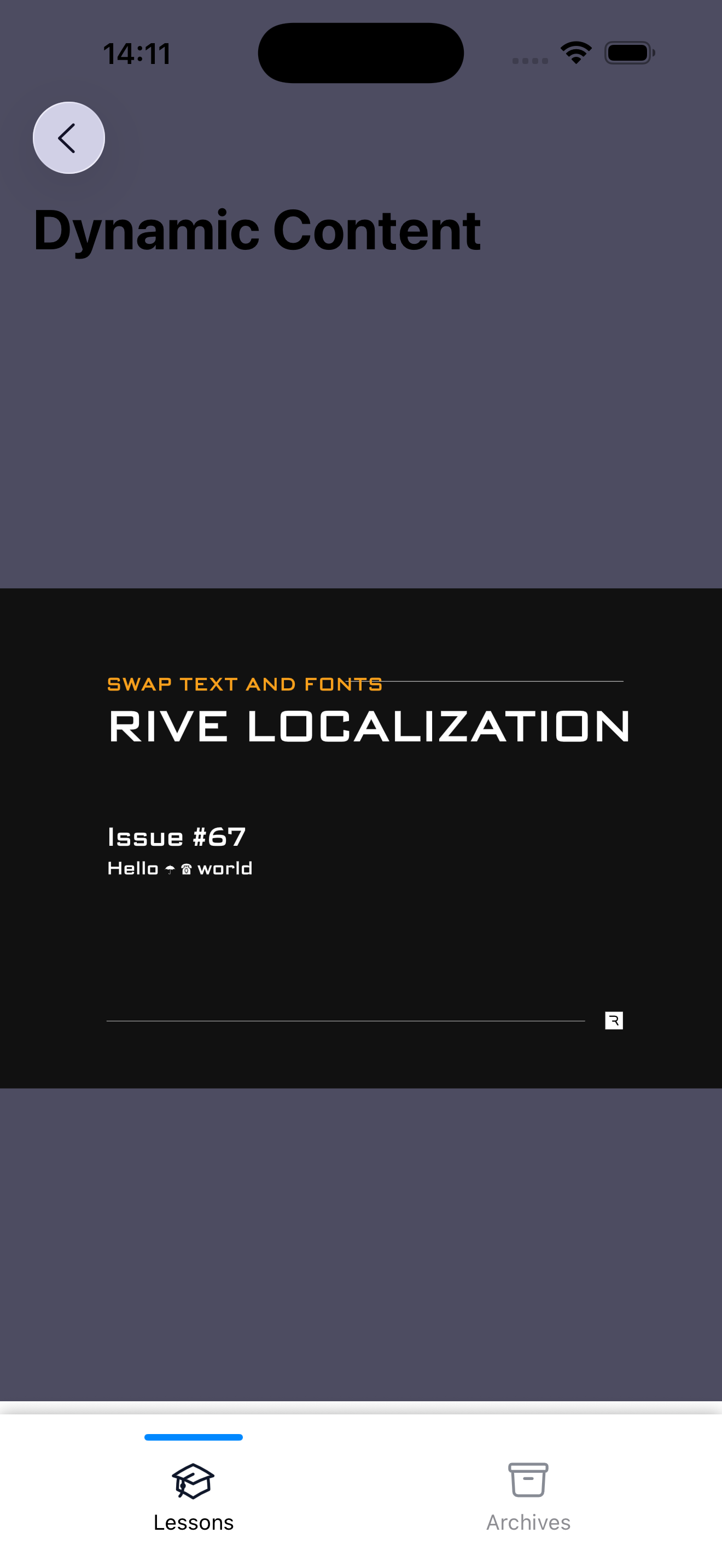
Below you can see how the application appears both without fallback fonts configured and with fallback fonts applied.
🤝 Wrapping Up
This chapter wraps part 3 of the series. Although this touches only a small part of what dynamic content and font customization can offer, it establishes a strong base for further development.
In the next edition, we'll kick off part 4, where we'll explore more advanced topics such as building complex workflows with Rive Scripting and enhancing them further with the help of an AI coding agent. Stay tuned!
If you'd like to review the source code, you can find the complete repository containing all the material from part 3.