🙌 Getting Started with Rive in UIKit
Overview
In this tutorial, we'll migrate the app from the previous chapter to UIKit and explore how to keep Rive State Machines in sync with UIKit state.
Setting up RiveViewModel in a UIViewController (Code-Based)
We can integrate Rive entirely through code by creating a RiveViewModel, instructing it to create a new RiveView, and then adding that view to your controller's view hierarchy.
Ensure that Rive has been added to your project. If you're not sure how to do this, refer back to the previous chapter.
Here is an example of how to do this inside a UIKit view controller:
import RiveRuntime

class AnimatedTreeViewController: UIViewController {

    // MARK: View Models

    lazy var tree = RiveViewModel(fileName: "tree", stateMachineName: "State Machine 1")

    // MARK: Views

    lazy var animationView: RiveView = {
        let view = tree.createRiveView()
        view.translatesAutoresizingMaskIntoConstraints = false
        return view
    }()
}
We can also configure a RiveViewModel within a controller that uses Storyboards. The easiest approach is to initialize the RiveViewModel and assign its view to the RiveView we have set up in Interface Builder. You can find more details on that process here.
Working with Animated Assets
To add interactivity to the animation, we can incorporate a UISlider that lets users adjust the tree's age.
To modify the state machine dynamically, we will call the setInput method on the RiveViewModel instance, passing in the input’s name along with its new value.
Here is an example of how to do it:
class AnimatedTreeViewController: UIViewController {

    lazy var slider: UISlider = {
        let slider = UISlider()
        slider.minimumValue = 0
        slider.maximumValue = 100
        slider.value = 18
        slider.isContinuous = true
        slider.addTarget(self, action: #selector(onValueChanged), for: .valueChanged)
        slider.translatesAutoresizingMaskIntoConstraints = false
        return slider
    }()

    [...]

    // MARK: - Actions

    @objc func onValueChanged() {
        self.tree.setInput("input", value: slider.value)
        self.label.text = "The tree age is \(Int(slider.value))."
    }
}
Here is a look at how the demo app I created for this version works:
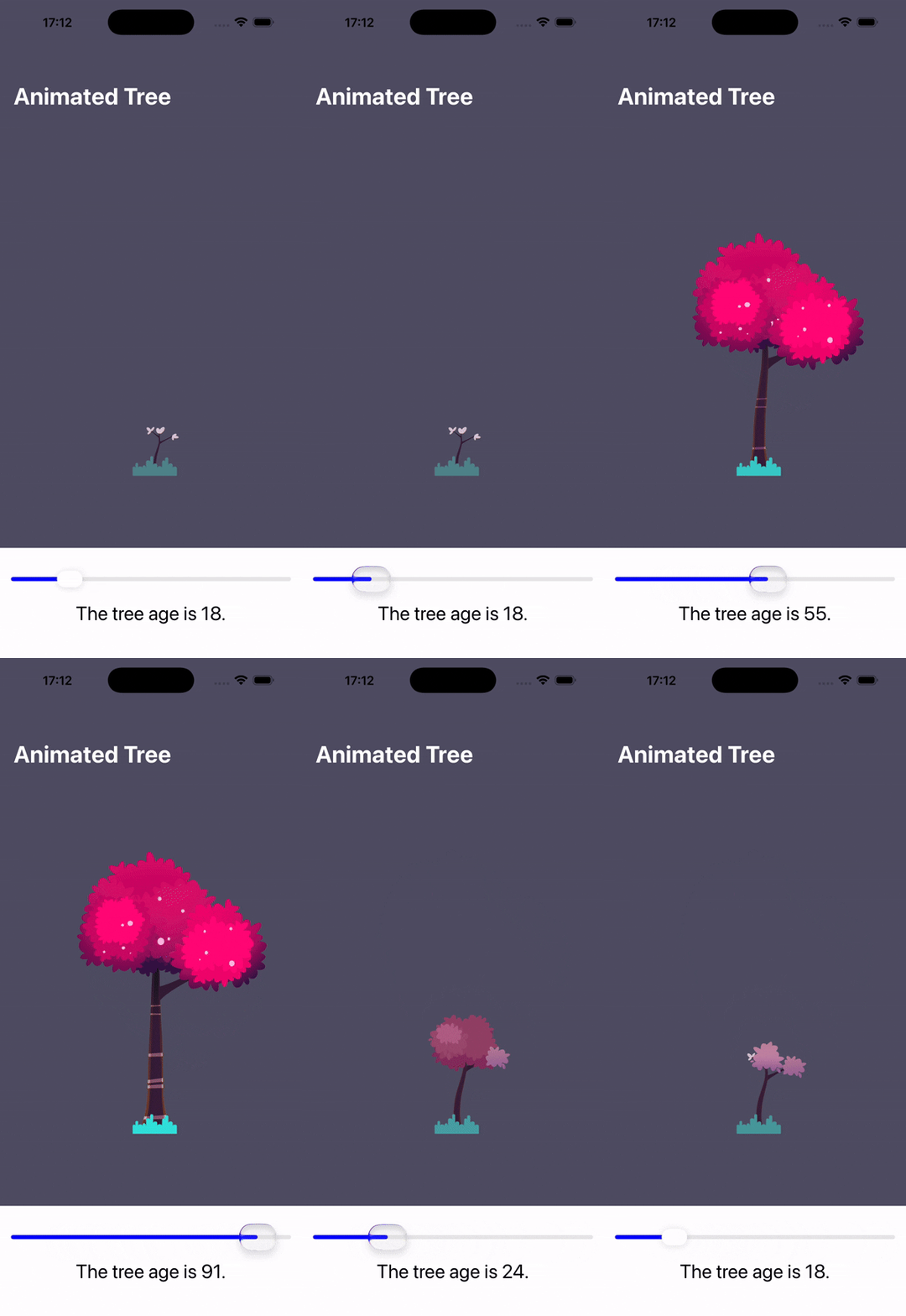
In case you are interested in the source code, feel free to check out the repository.
🤝 Wrapping Up
In this guide, we explored how to get started with Rive's Apple runtime library by creating an simple animated app using UIKit.
In the following chapter, we'll build a custom animated tab bar driven by Rive animations.